
Short answer: in India in 2026, a simple app with a handful of screens and a light backend typically costs ₹3 lakh to ₹8 lakh to build. A mid-complexity app with login, payments, an admin panel and a proper backend usually lands between ₹8 lakh and ₹25 lakh. Apps with real-time features, multiple user roles, marketplaces or heavy integrations commonly run ₹25 lakh to ₹75 lakh and beyond. These are market ranges, not our price list, and they assume a competent team. The rest of this article explains what sits inside those numbers so you can tell a realistic quote from a hopeful one.
Typical app development costs by complexity
| App type | Typical market range (INR) | Typical timeline | Examples |
|---|---|---|---|
| Simple app | ₹3 lakh – ₹8 lakh | 6 – 10 weeks | Catalogue or content app, event app, simple booking with no payments |
| Mid-complexity MVP | ₹8 lakh – ₹25 lakh | 10 – 16 weeks | OTP login, payments, user profiles, admin dashboard, push notifications |
| Complex app | ₹25 lakh – ₹75 lakh+ | 16 – 30+ weeks | Two-sided marketplace, real-time tracking, chat, field-team apps with offline sync |
| Companion app for an existing product | ₹6 lakh – ₹20 lakh | 8 – 14 weeks | Mobile version of a SaaS dashboard using existing APIs |
Add 18% GST on invoices from registered vendors, and remember that the app is usually only half of what you are paying for. The other half is the backend, the admin tools and the release process.
What you are actually paying for
Buyers tend to picture an app as its screens. Developers price it as five separate pieces of work:
- Product and UX design: user flows, wireframes, the visual design system, and a clickable prototype. Usually 10 to 15% of the budget, and the cheapest place to find mistakes.
- The mobile app itself: every screen, state, error message, empty state and loading state, on both platforms if you need both.
- The backend: APIs, database, authentication, file storage, notifications and business logic. For many apps this is as large as the mobile work.
- The admin panel: the web dashboard your team uses to manage users, content, orders or approvals. It is often missing from early quotes and always needed.
- QA and release: testing on real devices across Android versions and screen sizes, App Store and Play Store listings, privacy declarations, and handling review feedback.
A quote that only describes screens has priced one of the five.
Native vs cross-platform: how the choice changes cost
You have three practical options in 2026:
- Cross-platform (React Native or Flutter): one codebase for iOS and Android. For most business apps this is the cost-effective default. Industry estimates commonly put the saving at 25 to 40% compared with building two native apps, because logic, screens and tests are written once.
- Native (Swift for iOS, Kotlin for Android): two codebases, higher cost, and the best access to platform features, heavy graphics, background processing and hardware.
- One native platform first: if your users are overwhelmingly on Android, as they are for many Indian field-team, logistics and consumer apps, launching Android first and adding iOS later is a legitimate way to halve the first bill.
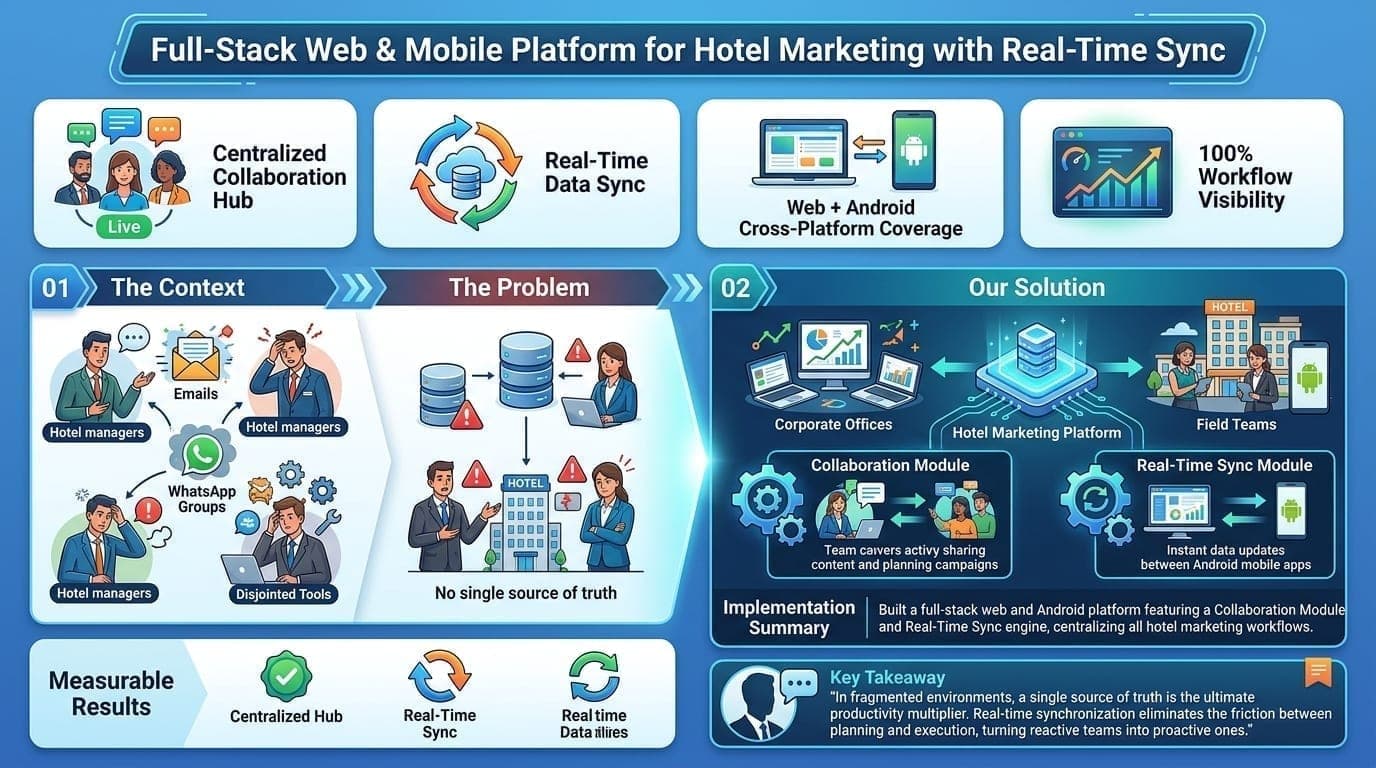
That last option is what we did for The Hotel Media: a web platform for the corporate team and a native Android app for field teams, both built against one API with a real-time sync layer so everyone sees the same data. The build ran 16 weeks and moved into a maintenance and feature retainer afterwards. Choosing the platform by who actually uses the app is the decision that saved the most money, not any rate negotiation.
Features that move the price most
Some features look small on a list and are not. Roughly in order of how much they tend to add:
- Real-time anything: live tracking, chat, collaborative editing or live dashboards need sockets, conflict handling and careful testing.
- Offline mode: letting field staff work without signal and syncing later is one of the hardest things in mobile development. If you need it, say so on day one.
- Payments: Razorpay, PayU, Stripe and UPI integrations are well documented, but refunds, failed payments, reconciliation and GST invoices add real work.
- Multiple user roles: a customer app, a vendor app and an admin panel is three products sharing a backend.
- Maps and location: geofencing, route display and distance pricing add both build time and recurring API cost.
- Media: video upload, streaming or in-app camera workflows need storage, compression and moderation decisions.
- Languages: Hindi, Punjabi or other Indian languages need translation workflow and layouts that handle longer strings.
- Integrations: ERPs, CRMs, government APIs and older systems are where timelines slip, usually because documentation and test environments are poor.
The costs that arrive after launch
| Item | Typical cost | Notes |
|---|---|---|
| Apple Developer Program | US$99 per year | Required to publish on the App Store. |
| Google Play developer account | US$25 one-time | Required to publish on Google Play. |
| Backend hosting and database | ₹2,000 – ₹50,000+ per month | Scales with users, data and real-time load. |
| SMS OTP and messaging | Per message | Login OTPs and transactional SMS or WhatsApp messages add up with growth. |
| Maps, email and other APIs | Usage-based | Often free at low volume, then metered. |
| Maintenance and updates | 15 – 25% of build cost per year | A common rule of thumb: OS updates, store policy changes, bug fixes, dependency upgrades. |
Maintenance is not optional for apps the way it sometimes is for websites (our website development cost guide covers the web side). Apple ships a major iOS release every year, and Google Play requires apps to target a recent Android API level to keep publishing updates. An app nobody touches for eighteen months can become impossible to update without a rescue project.
How to reduce app development cost without regret
- Cut scope, not quality. Ship the one workflow that proves value. Every feature you remove from version one is cheaper than one you build poorly.
- Go cross-platform unless you have a reason not to. Name the reason in writing; "it feels more premium" is not one.
- Use managed services. Authentication, push notifications and file storage from Firebase, Supabase or a cloud provider are cheaper than building your own.
- Start the admin panel simple. An internal tool can look plain. Customers never see it.
- Pay for discovery. A two to three week paid discovery with a clickable prototype is the cheapest way to find out what you are actually building.
Questions to ask before you accept an app quote
- Is the backend and admin panel included, and which hosting do you assume?
- Which platforms, which minimum OS versions and which devices will you test on?
- Who submits to the App Store and Play Store, and under whose developer account? It should be yours.
- Will I own the source code repository from the first commit?
- How often will I get a build I can install? Weekly is a reasonable expectation.
- What happens after launch, and what does maintenance cost per month?
- Can I speak to a client whose app you still maintain a year later?
How we approach app projects
Digital Patron builds native Android and iOS apps and cross-platform apps in React Native or Flutter, with the backend and admin tools included, from offices in Gurugram and Mohali. We scope every project as a fixed statement of work after discovery, share installable builds every week, and pick the platform based on who will use the app. You can read the full approach on our app development page, or see the page for your city: Gurugram, Mohali or Chandigarh. If your app needs a web dashboard or marketing site alongside it, our web development team works from the same API. If you are still comparing vendors, our guide to choosing a development company in Chandigarh, Mohali or Gurugram applies to app teams too.
India app development agency cost 2026: MVP and mobile app pricing
What an Indian app development agency charges in 2026 follows the ranges in the table above: a simple app at ₹3 lakh to ₹8 lakh, a mid-complexity MVP at ₹8 lakh to ₹25 lakh over 10 to 16 weeks, and a complex app from ₹25 lakh upward. Agencies sit at the higher end of each band than freelancers because the quote covers design, backend, both mobile platforms, QA and store release, and someone is accountable if a developer leaves mid-project.
For an MVP, ask for a fixed-scope quote tied to the one or two workflows that prove demand, a milestone payment plan, and written confirmation that you own the code and the store accounts. Our app cost calculator gives a range for your feature list, and the app development page explains how we scope projects.
Get a realistic estimate
Tell us who will use the app, what the first version must do, and where your users are. We will recommend a platform, outline the scope and give you a fixed quote with a timeline. Book a free discovery call.