
Why your cold emails go to spam (and 7 fixes from running outbound at scale)
The brutal economics of spam
If 30% of your cold emails are landing in spam, you have effectively halved your output. The reply rate you see on the campaigns that did get through is misleading — it suggests the copy is working, but you cannot scale because the deliverability ceiling cannibalises every additional volume push you try.
This is the most common pattern we see when a founder asks us to "audit our cold email." Their copy is fine. Their list is fine. Their tool is fine. The deliverability is broken, often in ways they cannot see from inside their sending platform's dashboard.
Below are seven fixes, ordered by impact. The first three move the needle by 30–60% on inbox placement when properly executed. The last four are the difference between "decent" and "predictable." None of them require new tools — most teams that hire us already own the right software; they are using it without the operational discipline that makes it work.
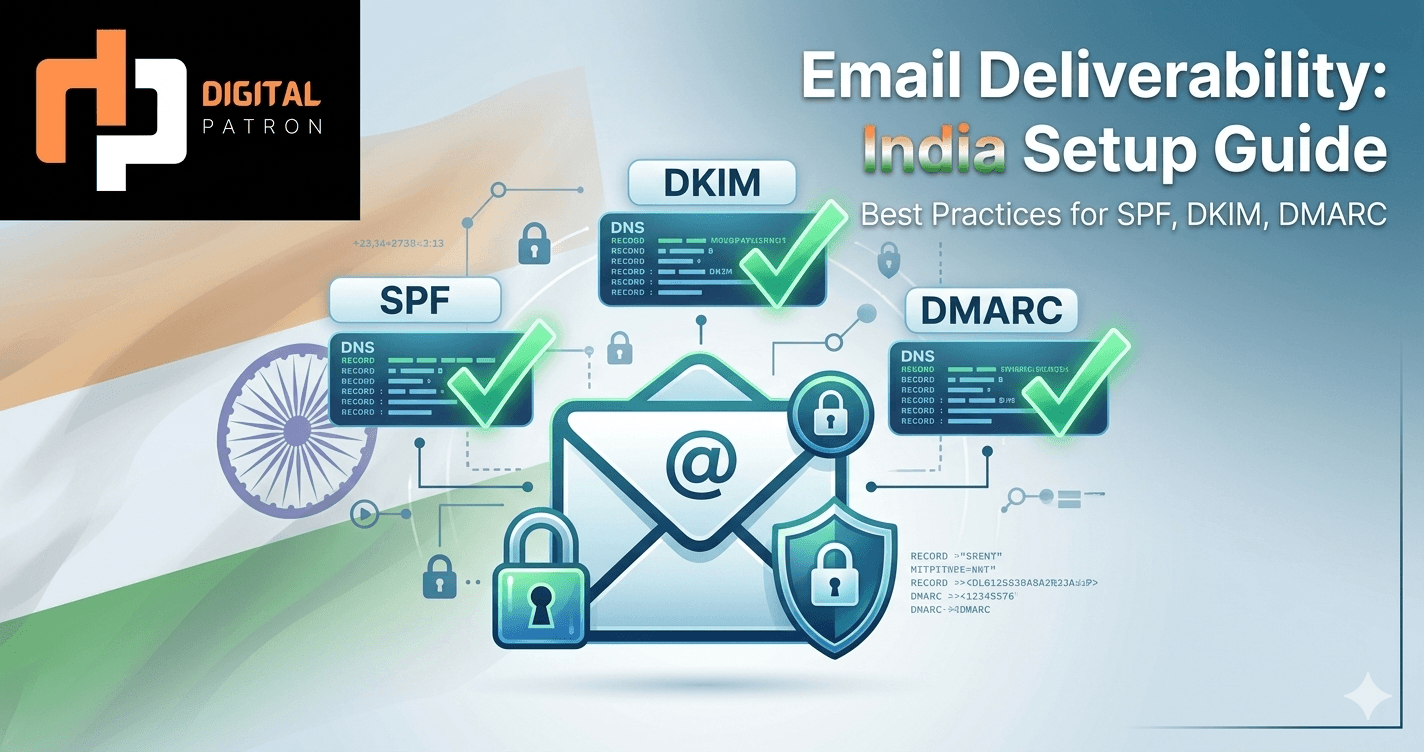
Fix 1: Authenticate properly (DMARC + SPF + DKIM)
Every campaign we audit that has "going to spam" as a complaint has at least one of these three records misconfigured or missing entirely. This is the absolute baseline; without all three, no other fix on this list will hold.
SPF (Sender Policy Framework) tells receiving servers which IP addresses are allowed to send email from your domain. If your sending platform's IP isn't in your SPF record, every receiver from Gmail to Outlook treats your email as suspicious by default. The "include" entries for Instantly, Smartlead, Apollo, Google Workspace, and Microsoft 365 must all be present in a single record (you only get one SPF record per domain).
DKIM (DomainKeys Identified Mail) is a cryptographic signature on every outbound email that proves it actually came from your domain (not from a spoofer). Without DKIM, modern receivers have no way to trust that an email claiming to be from you really is — and they treat it accordingly. Each sending platform requires its own DKIM key published as a CNAME or TXT record on the DNS.
DMARC (Domain-based Message Authentication, Reporting & Conformance) ties SPF and DKIM together and tells receivers what to do with mail that fails either check. We deploy p=quarantine for cold-email-only sending domains (so non-aligned mail goes to spam where the recipient's IT team can see it) with a rua aggregate-report address. Reading those reports weekly catches forwarders, partial misconfigurations, and the occasional spoofing attempt before they damage your sender reputation.
If you have not validated all three with a tool like EasyDMARC or MXToolbox in the last 30 days, do that before reading further. Everything else on this list assumes this baseline is in place.
Fix 2: Multi-domain sending architecture
The single biggest mistake we see at the architecture level: teams running outbound from their primary domain. If your company is acme.com, do not send cold email from acme.com. A bad reputation here will damage your transactional, recruiting, and customer-facing email — for months — and the recovery cost is dramatically higher than the cost of doing it right from day one.
The correct setup is a fleet of dedicated sending domains. We typically run 6–12 domains per client, each with 3–5 sending mailboxes, each capped at 30–50 emails per day per mailbox. With 8 domains × 4 mailboxes × 40 emails/day, the architecture supports ~1,280 daily sends without any individual mailbox crossing the conservative volume threshold that triggers Gmail/Microsoft heuristic filters.
The dedicated domains should be variations of your brand (get-acme.com, try-acme.com, acme-co.com, acmegrowth.com) — close enough that recipients recognise the brand, distinct enough that reputation doesn't bleed back to the primary domain. Each domain gets its own DMARC + SPF + DKIM stack, its own warm-up sequence, and its own sending plan.
This sounds expensive. It isn't. Eight Google Workspace domains × 4 seats × ₹1,200/seat/month = ~₹38K/month — about the cost of one mid-tier sending platform alone. The cost of getting your primary domain blacklisted is many multiples of this.
Fix 3: Warm up before you scale (no exceptions)
Every domain you send from needs 4–6 weeks of warm-up before any production volume. Skipping this is the single fastest way to get blacklisted. We have audited campaigns where founders sent 200 emails on day 3 of a brand-new domain and were genuinely surprised to find their inboxing rate at 12%.
The warm-up curve we use:
- Week 1: 5–10 emails/day per mailbox, all to engaged warm-up partner accounts.
- Week 2: 10–15 emails/day. Start opening, replying-to, and marking some as "important" within the warm-up network.
- Week 3: 15–25 emails/day. Begin layering in actual prospect emails (small volumes, hand-picked recipients).
- Week 4: 25–35 emails/day. Mostly real prospects now, warm-up traffic still 30–40% of volume.
- Weeks 5–6: ramp to production cadence (40–50/day). Maintain ~20% warm-up traffic indefinitely.
Warm-up tools (Instantly's built-in, Smartlead's network, Mailwarm, Warmup Inbox) all do roughly the same job — they network your domain into a pool of accounts that mark each other's mail as "important," teaching Gmail and Outlook that your domain is a legitimate human correspondent. Pick whichever your sending platform integrates with natively and run it continuously, not just at launch.
Fix 4: Daily sending caps tuned per inbox provider
Gmail, Microsoft 365, and Zoho have very different volume tolerances. Sending the same daily cadence into all three is a leading cause of inbox-placement degradation. Our defaults:
- Gmail / Google Workspace recipients: 35–45 emails per mailbox per day. Gmail's heuristic filtering is the most aggressive of the three; do not push past 50/day from a single mailbox without weeks of clean reputation history.
- Microsoft 365 / Outlook recipients: 25–35 emails per mailbox per day. Microsoft is stricter on first-time senders than Gmail and quicker to soft-bounce.
- Zoho recipients: 40–50 emails per mailbox per day, with stricter content filtering — keep promotional language minimal.
If you do not segment your sending caps by recipient provider, you are necessarily either undersending to one and oversending to another. Modern sending platforms make this trivial to configure; most teams do not do it because they did not know it mattered.
Fix 5: Content that doesn't trigger filters
Cold email content can be filtered for reasons most copy guides ignore:
- Single-image emails — Gmail flags these as likely promotional. Always include text.
- Tracking pixels and shortened URLs — heavy use marks an email as marketing-class. We disable open-tracking on the first email of a sequence; reply rate matters more than open rate, and removing tracking improves inbox placement by 5–10% in our tests.
- Promotional vocabulary — words like "free," "guarantee," "limited time," "exclusive offer," and exclamation marks. None of these are deal-breakers in 2026, but stacking them in a 5-line email is a flag.
- Long unsubscribe footers and legal disclaimers — these mark your email as bulk marketing. A clean cold email has no footer beyond a name and a line. Keep CAN-SPAM compliance in the headers (List-Unsubscribe), not the visible body.
The single highest-leverage content fix: shorten the email to under 60 words. Short, conversational emails consistently outperform structured longer pitches on both reply rate and inbox placement. Our methodology page has the specific copy templates we use.
Fix 6: List hygiene + bounce management
A 6% hard-bounce rate on a campaign tells Gmail you are sending to an unverified list. Reputation hit is severe and lasts weeks. We hard-cap bounces at 2% per campaign; above that, the campaign is paused and the list is re-verified.
Verification at the point of import (Apollo's verifier, NeverBounce, ZeroBounce) catches roughly 80% of bounces. The remaining 20% are role-based addresses (info@, sales@) that bounce or get spam-trapped. Suppress all role-based addresses upfront — they are usually low-conversion anyway.
For active campaigns, monitor bounces in real time. The first 50 sends to a new list tell you everything; if you are above 2% bounces in those 50, pause and re-verify before sending to the rest.
Fix 7: Monitor, monitor, monitor (Google Postmaster + Microsoft SNDS)
You cannot fix what you cannot measure. Two free tools, both criminally under-used:
- Google Postmaster Tools — once your domain crosses ~150 emails/day to Gmail, Postmaster gives you live data on spam rate, IP reputation, domain reputation, authentication pass rates, and delivery errors. We check it daily on every active domain. A single day of "low" reputation is a leading indicator of inbox-placement collapse 5–7 days out.
- Microsoft SNDS (Smart Network Data Services) — analogous service for Microsoft 365 / Outlook. You sign up by IP block. Less granular than Postmaster but gives early warning of Microsoft-side reputation issues.
If you are not checking Postmaster daily on every active sending domain, you are flying blind. The first time it shows a "low" reputation flag, pause that domain immediately and investigate before re-engaging. Recovery takes days; ignoring the flag takes weeks.
What we'd test next (the 8th fix that's not yet a fix)
The frontier in 2026 is reply-rate optimisation as a deliverability signal. Gmail and Microsoft are increasingly weighting reply rate higher than open rate when assessing legitimate-correspondent reputation. The implication: campaigns optimised for "interesting first lines that get any reply, even a 'not now'" likely outperform campaigns optimised for "openable subject lines" on long-term inbox placement, even when they look similar at the campaign level. We are running this test currently; the early signal is positive, but we are not ready to commit to it as fix #8 yet.
When even all 7 don't help
If you have applied all seven fixes and inbox placement is still below 80%, the issue is usually one of three things: a poorly-targeted ICP (your "list" is full of recipients who genuinely shouldn't be hearing from you, and they are reporting you as spam), a legacy reputation problem on the underlying IP block (move sending platforms), or content that reads as marketing despite the filter checks (re-write to feel like a 1:1 message — because cold email is a 1:1 message).
Beyond that, you are at the limits of what cold email can do for your motion. If outbound is critical and deliverability is structurally broken for your domain or industry, alternatives exist: LinkedIn outbound, partner motions, account-based webinars, founder-led content. They are slower but they don't have a deliverability ceiling.
What this looks like as a managed service
For Indian B2B teams who do not want to run this in-house, the productised version of all seven fixes lives at Cold Email Outreach at Scale — starting at $800/month for a single-persona setup, scaling to the AI Outreach Engine at $1,799–$5,200/month for a fully managed multi-persona engine. City-specific landing pages with local context: Gurgaon, Delhi, Noida, Mumbai, and Bangalore.
Frequently asked questions
How long does it take to fix bad deliverability?
Recovery on a damaged sending domain takes 4–8 weeks of disciplined low-volume sending. If the damage is on your primary domain, longer. The honest answer: it is faster to spin up new dedicated domains and warm them up properly than to rehabilitate a domain with significant reputation damage. We almost always do the former.
Do I need an SDR or an agency to handle deliverability?
No. You need someone who has run multi-domain sending before and reads Postmaster daily. That can be an in-house SDR ops lead, a contractor, or an agency. The skill is operational discipline, not seniority. Some of the best deliverability operators we know are 22-year-old SDR managers who have spent 18 months obsessing over inbox placement.
How does Indian-IP-based sending affect deliverability for US recipients?
It does affect deliverability — a small but measurable degradation when sending from India-hosted infrastructure to US recipients. The fix: use a sending platform whose mail is routed through US-based servers (Instantly, Smartlead, and Apollo all do this by default). Avoid sending production volume directly from Google Workspace mailboxes hosted in the India region; route through a sending platform.
What's the single biggest deliverability mistake first-time outbound teams make?
Sending from their primary domain. Everything else can be fixed in 4–6 weeks. Damage to your primary domain takes months and risks transactional and customer-facing email. If you take one thing from this article, it is: never send cold email from your primary domain.
Want us to audit your deliverability?
Book a free 30-minute call. Send us your sending domains, your DMARC/SPF/DKIM setup, and a representative campaign. We will walk through the seven fixes against your specific stack and tell you what is broken, what to fix first, and what it would cost to outsource it.